
Appearance
LevelPlay Mediation Integration
Supported Ad Formats
| LevelPlay Ad Format | Minimum required version of Opera adapter |
|---|---|
| Banner | 2.9.0.0 |
| Interstitial | 2.9.0.0 |
| Rewarded | 2.9.0.0 |
Configure Custom Ad Network in LevelPlay Console
Add Custom Ad Network
Sign in to the LevelPlay Console
Choose LevelPlay on the top left of the page.
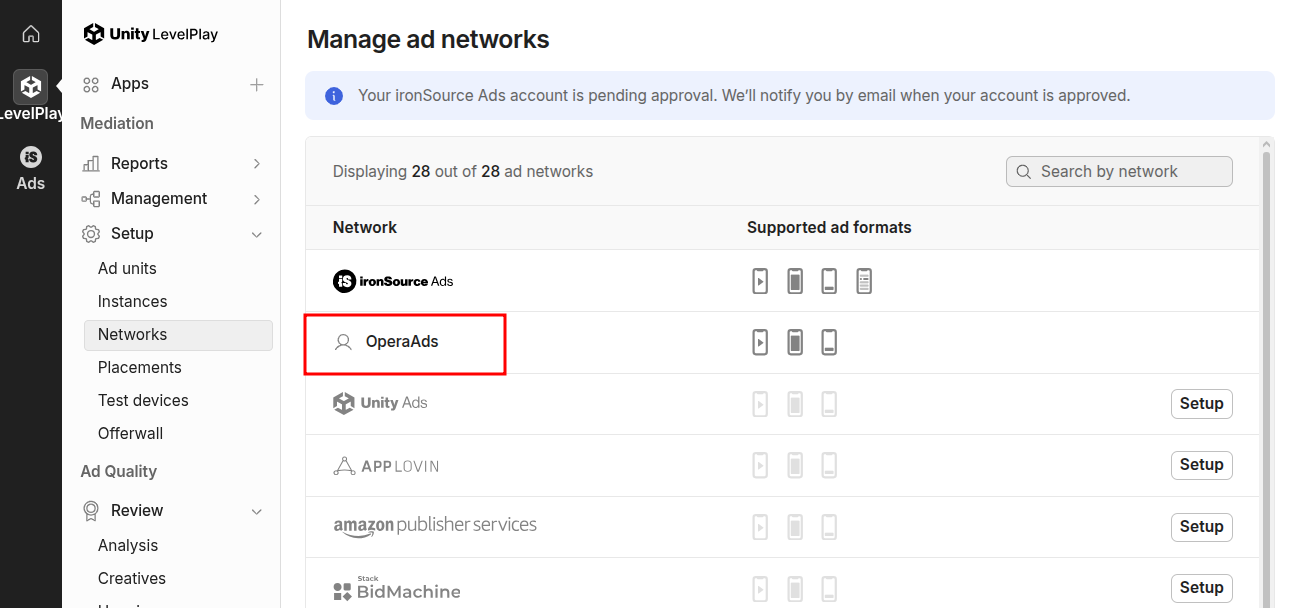
Navigate to Mediation → Setup → Networks
Click Add custom network at the end of the ad network list.
Fill in the Network key with value
15c113b49, and press Confirm key. The name of corresponding ad network should be OperaAds. Then add Opera Ads for your app by clicking Save. You will see "OperaAds" in the ad network list.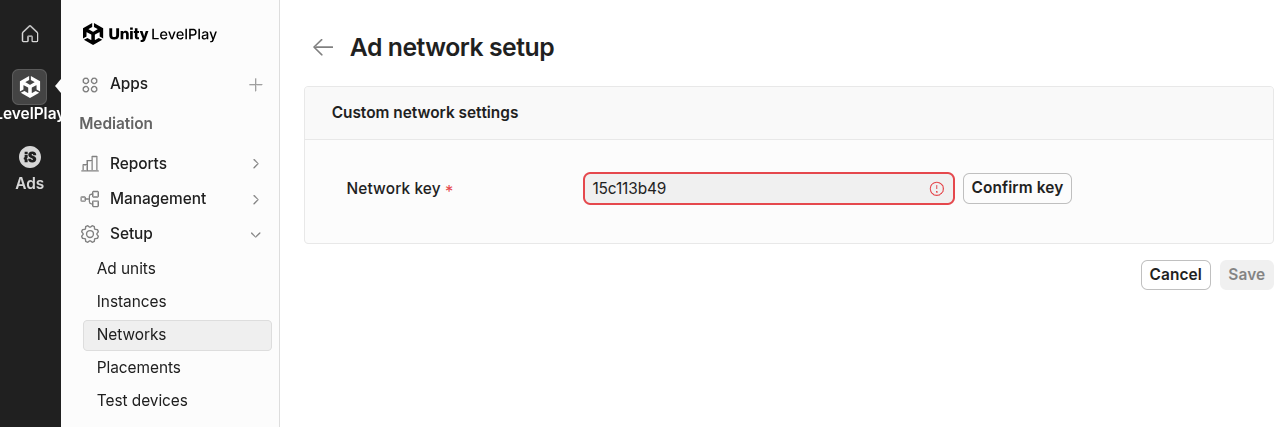
Enable Opera Ads Network for Ad Units
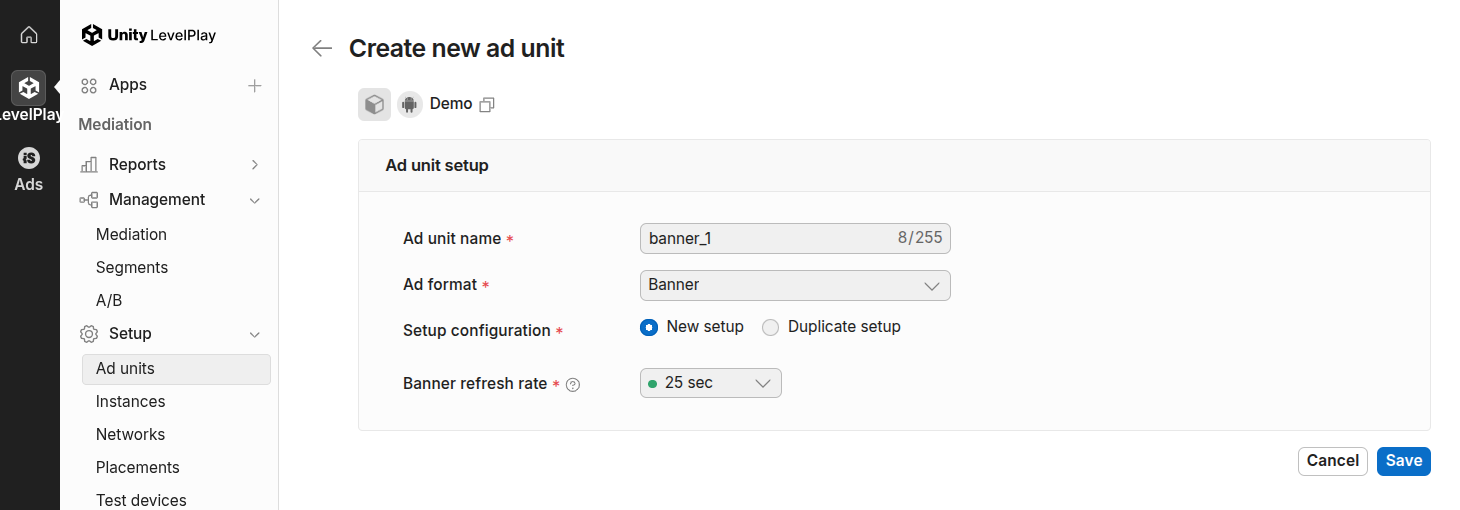
- Navigate to Ad units, and add a new ad unit by clicking Create ad unit.
- Then go to Mediation under Management, add a new group for the new ad unit. If not necessary for your app, you can ignore this step.
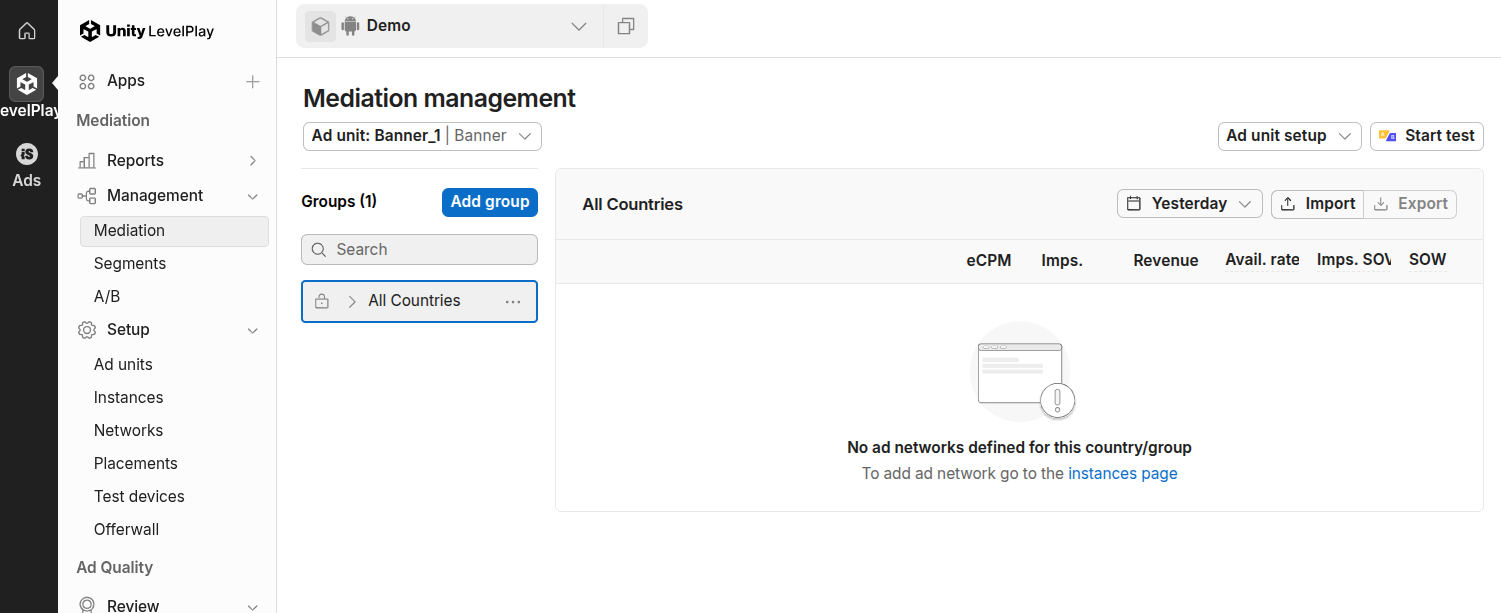 Add a new group by clicking Add group. For example, a group named "sea" for SEA regions.
- Navigate to Instances under Setup, and choose OperaAds. Fill in the appId and create a new instance by clicking +Add instance. You can fetch the
appIdandplacementIdon Opera Ads Console. After the instance is created, select the corresponding group (e.g. "sea") in the Mediation groups column to associate this instance with the group you created earlier. Once the configuration for OperaAds is saved successfully, the console opens the Mediation page and the new instance appears under Non-bidding.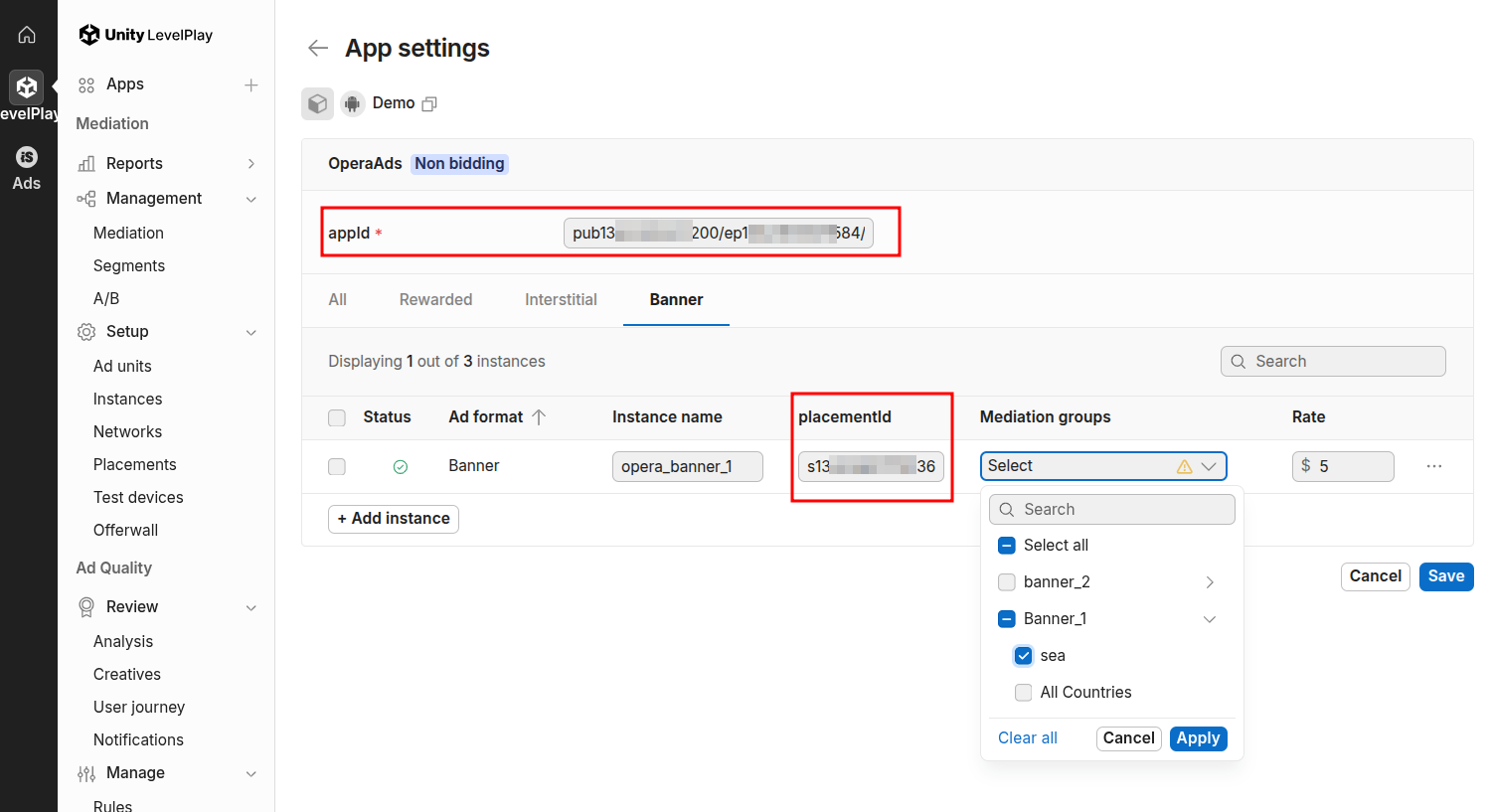

Banner
Please refer to Banner Sizes, and make sure that the ad size matches the placement of Opera banner ad you set on Opera Ads Console.
Add Dependencies
Add Opera Ads SDK maven repository:
kotlin
repositories {
    maven {
        url = uri("https://artifact.op-mobile.opera.com/releases")
    }
}

dependencies {
    // Opera Ads LevelPlay Adapter
    implementation("com.opera:opera-ads-levelplay-adapter:+")

    // LevelPlay SDK
    implementation("com.unity3d.ads-mediation:mediation-sdk:9+")
}
Additional Code (Optional)
The LevelPlay SDK automatically initializes the Opera Ads SDK when loading ads. No additional initialization code is required.
Privacy Compliance
GDPR
Please refer to GDPR. The Opera Ads SDK reads the application's consent string automatically.
COPPA
Please refer to COPPA. You can use the API PrivacyManager.setCoppa(...) to set coppa status.
CCPA (U.S. states privacy)
Please refer to U.S. states privacy setup. You can use the API PrivacyManager.setUSPrivacy(...) to set the compliance status of CCPA.