
Appearance
Wallet
How to Use the Wallet Feature
The Wallet feature is designed to help you manage your account funds, view transaction histories, and ensure your advertising campaigns have sufficient balances for continuous delivery. We support flexible payment modes to accommodate different business needs.
About Payment Modes
Your account will be configured to one of the following payment modes:
- Postpay Mode: You can run your campaigns first and process the payment later. There are no credit limits applied in this mode.
- Credit/Prepaid Mode: You must prepay (top up) or rely on a granted credit limit. Ad delivery is only allowed when your Credit is greater than zero.
How to Manage Agency Funds (For Agency Accounts)
If you are an Agency, you have additional permissions to manage funds for your child advertisers:
- View Balances: You can check your own balance, accumulated credit, and balance with credit, as well as view the specific balances of all your subordinate advertisers.
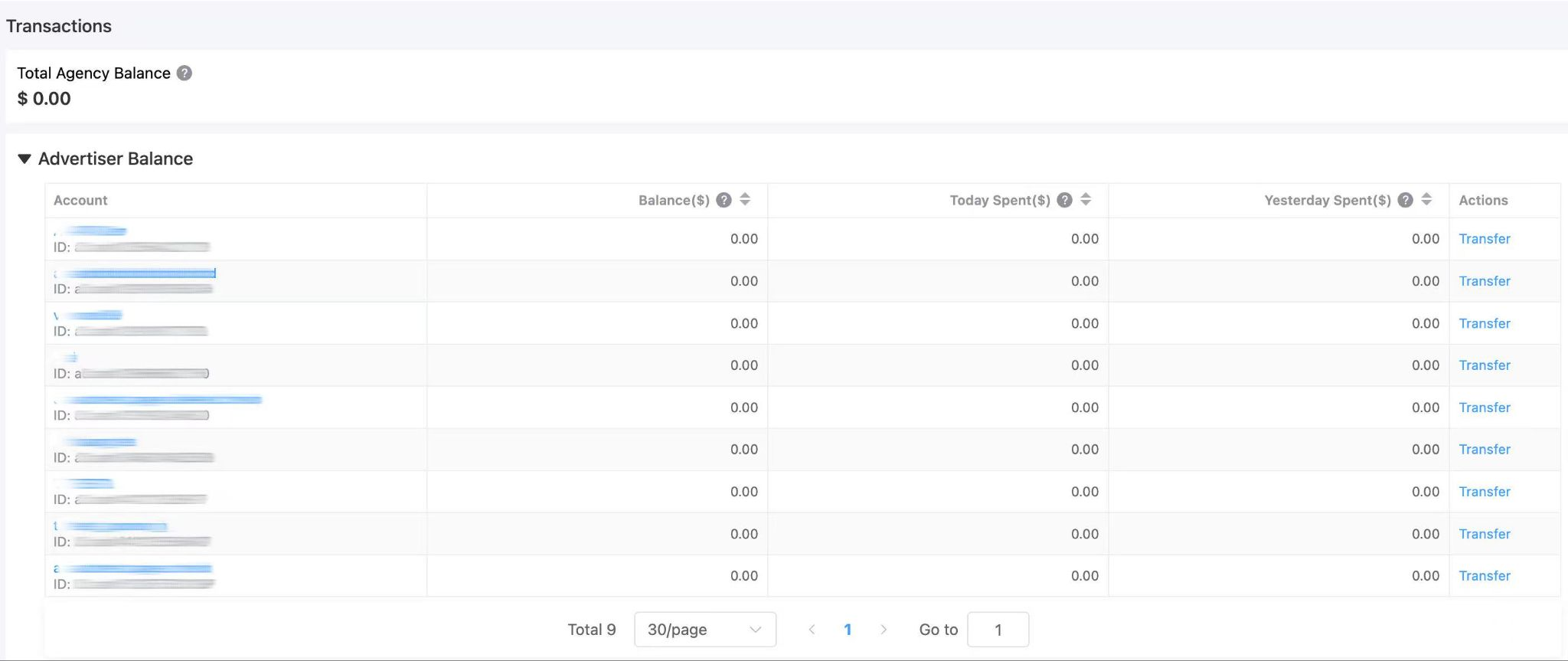
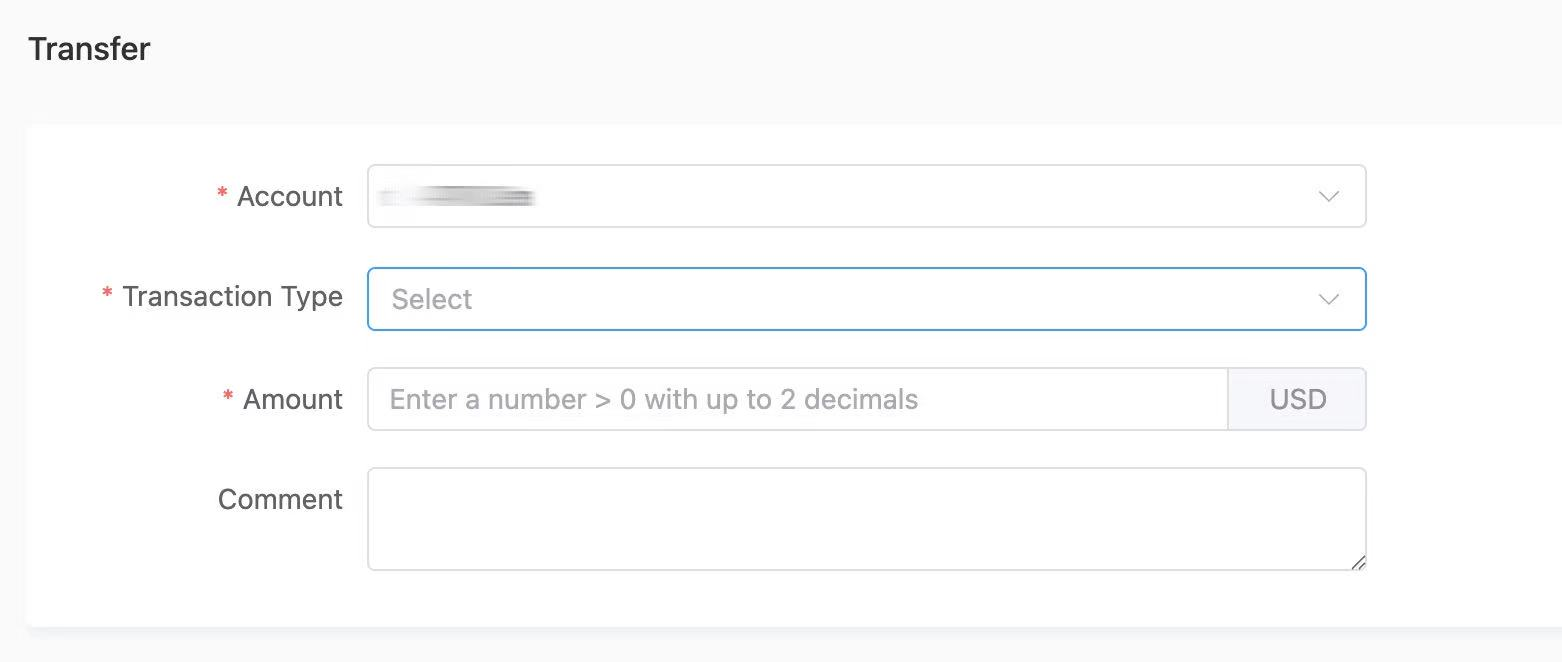
- Top-up Advertisers: Navigate to the agency portal page to transfer in/out directly to/from your associated advertisers (this functions as a transfer from the agency to the child advertiser).
How to Check Transaction History
Both Advertisers and Agencies can monitor their financial records:
- Navigate to the Transactions section in the portal.
- Here, you can view your complete transaction history, including deposits, transfers, and credit adjustments.

- Use the search bar to filter records by Advertiser ID, Agency ID, transaction type, or operator.
