
Appearance
Custom Event Configuration on GAM
Supported Ad Formats
| GAM Ad Format | Minimum required version of Opera adapter |
|---|---|
| Native | 2.0.0.0 |
| AdSize.BANNER | 2.0.0.0 |
| AdSize.MEDIUM_RECTANGLE | 2.0.0.0 |
| AdSize.LARGE_BANNER | 2.2.2.0 |
| AdSize.FULL_BANNER | 2.2.2.0 |
| AdSize.LEADERBOARD | 2.2.2.0 |
| Interstitial | 2.0.0.0 |
| Rewarded | 2.0.0.0 |
| Rewarded interstitial | 2.14.0.0 |
| AppOpen | 2.5.0.0 |
Configure Yield Group on the GAM
Add Ad Network
Firstly go to GAM -> Admin -> Company, click new company -> ad network, then name it as what you would like, and select Other company, enable the Mediation option. Then save or input some other necessary information. 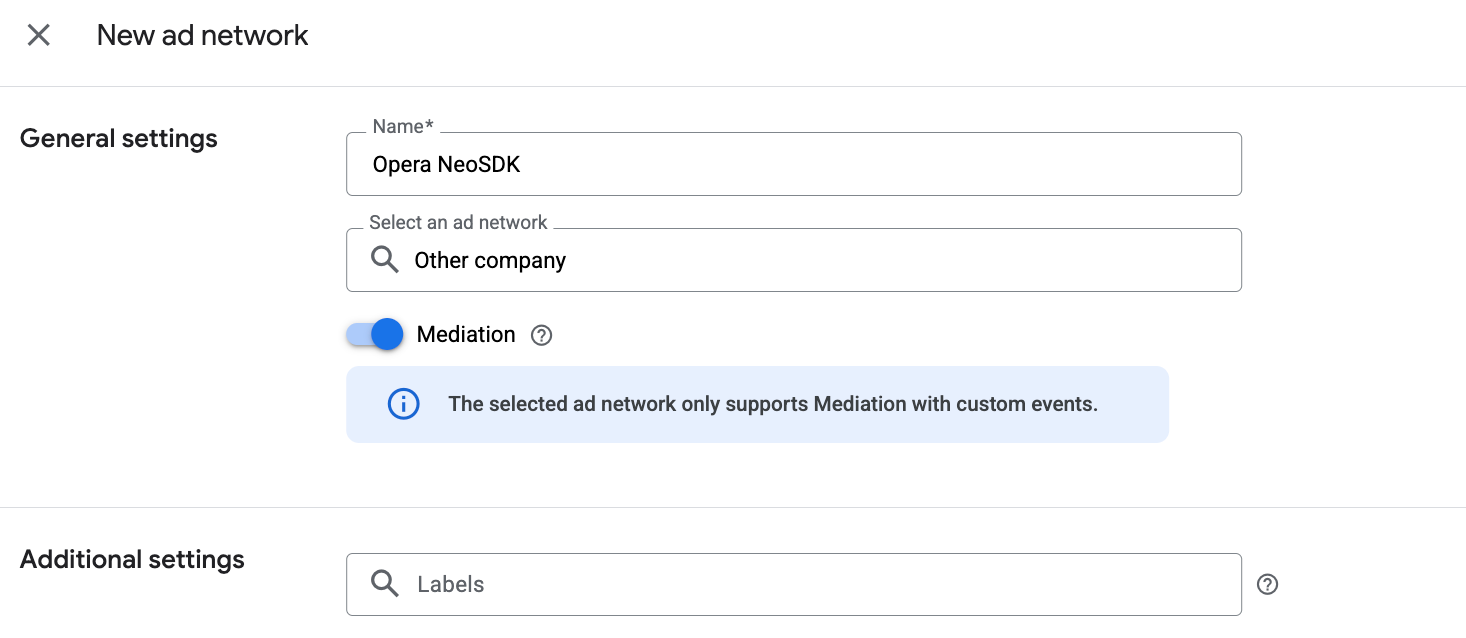
Add Ad Unit
Create ad units for different formats of your inventory under GAM -> Inventory -> Ad unit, or you already have your existing GAM ad units. 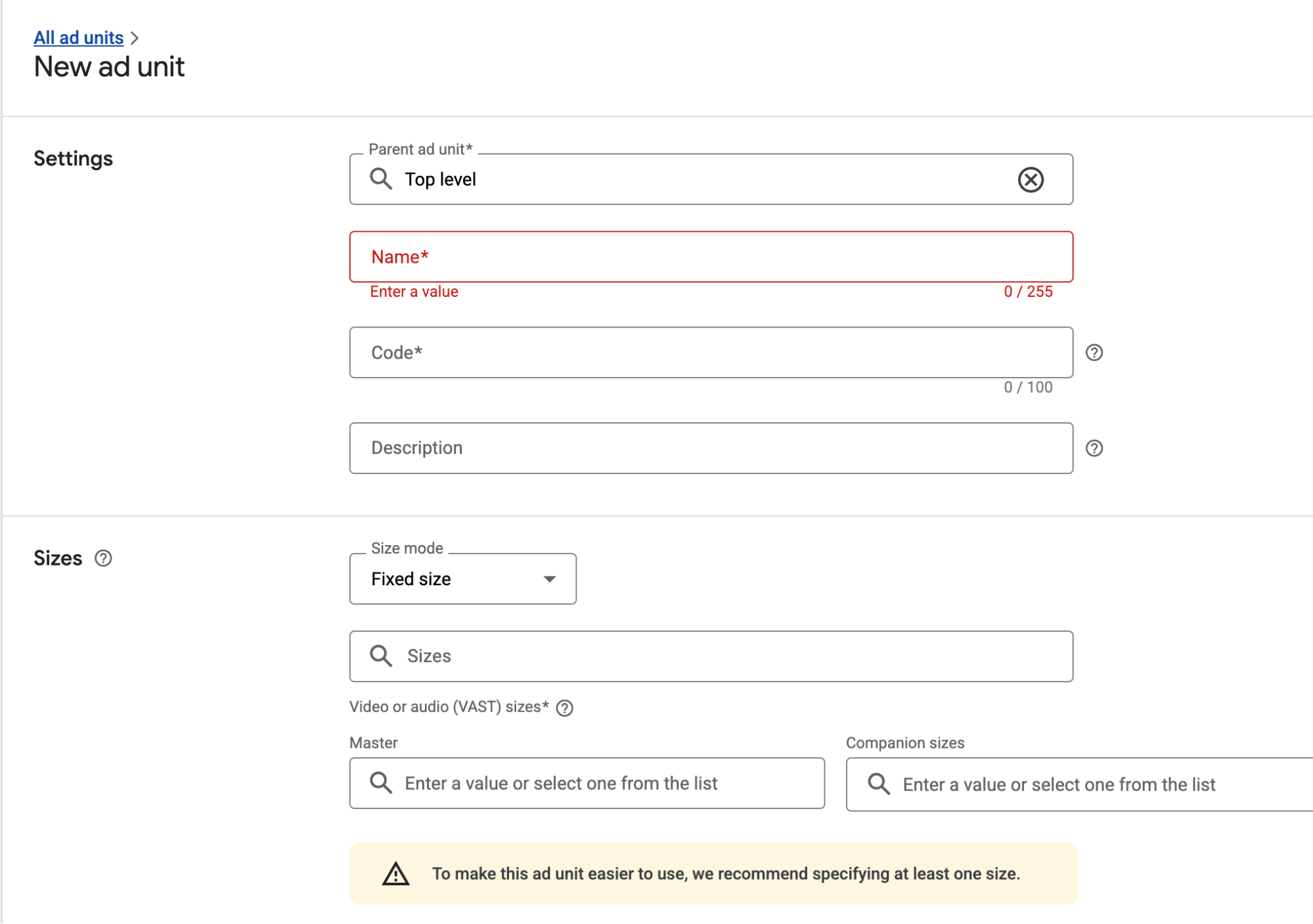
Add Yield Group
When you have an ad unit, click the ad unit, then go to the Yield Group tab of the ad unit, you may have already configured some bidding partners. If not just click the New Yield Group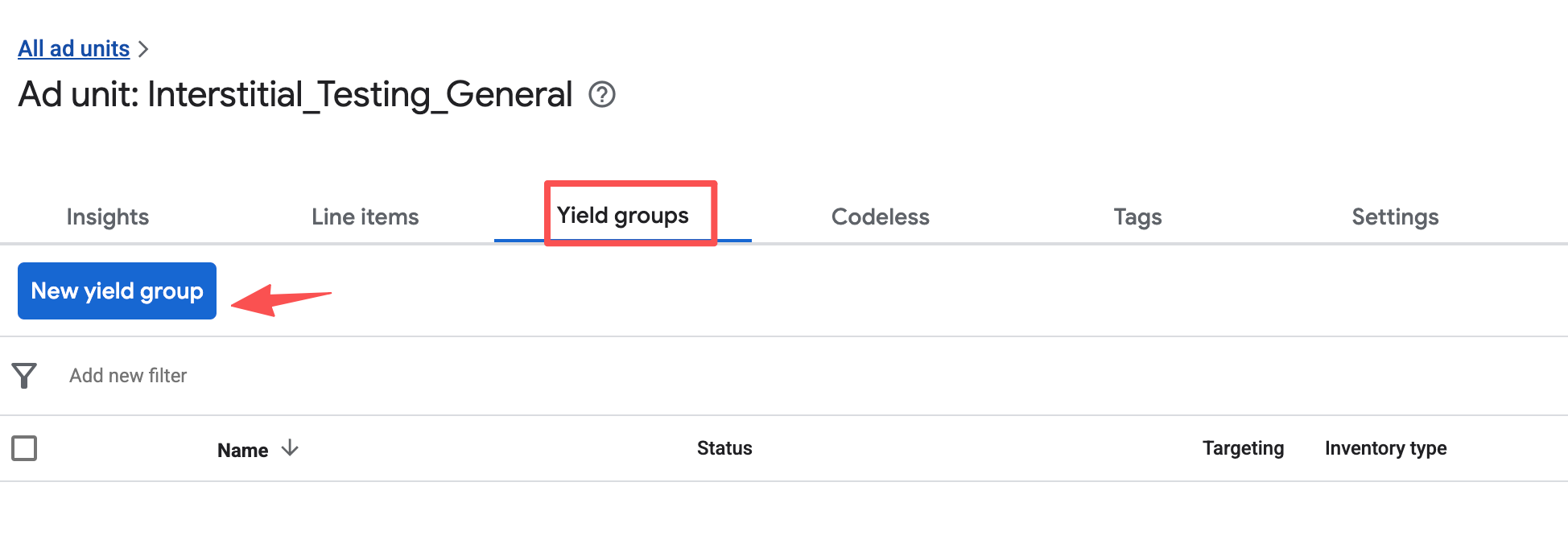
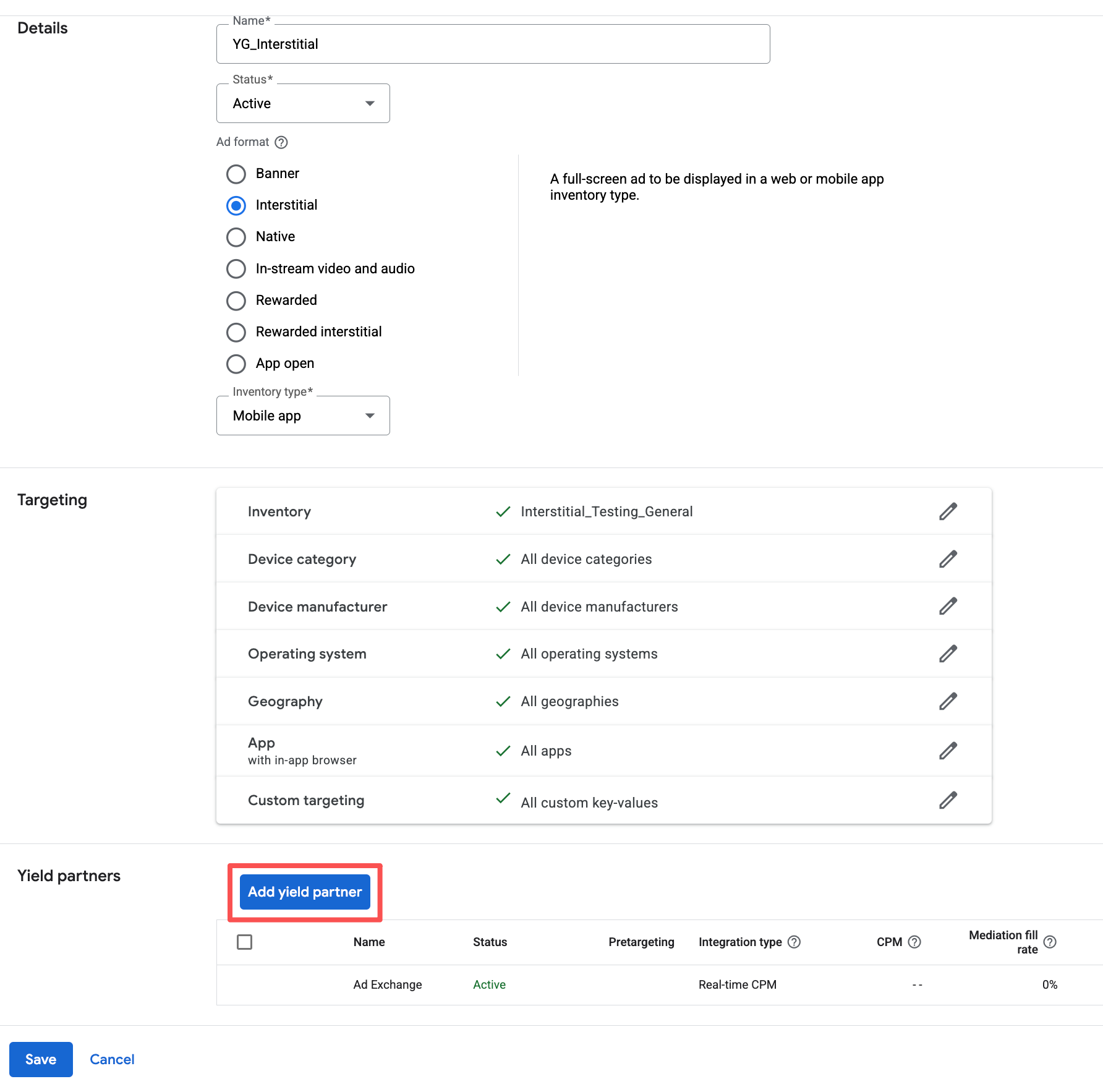
Add Yield Partner
Then Add Yield Partner, select the company(ad network) you created in step Add Ad Network, and set other necessary parameters as described in https://doc.oa.opera.com/publisher/app/sdk/android/mediation/admob/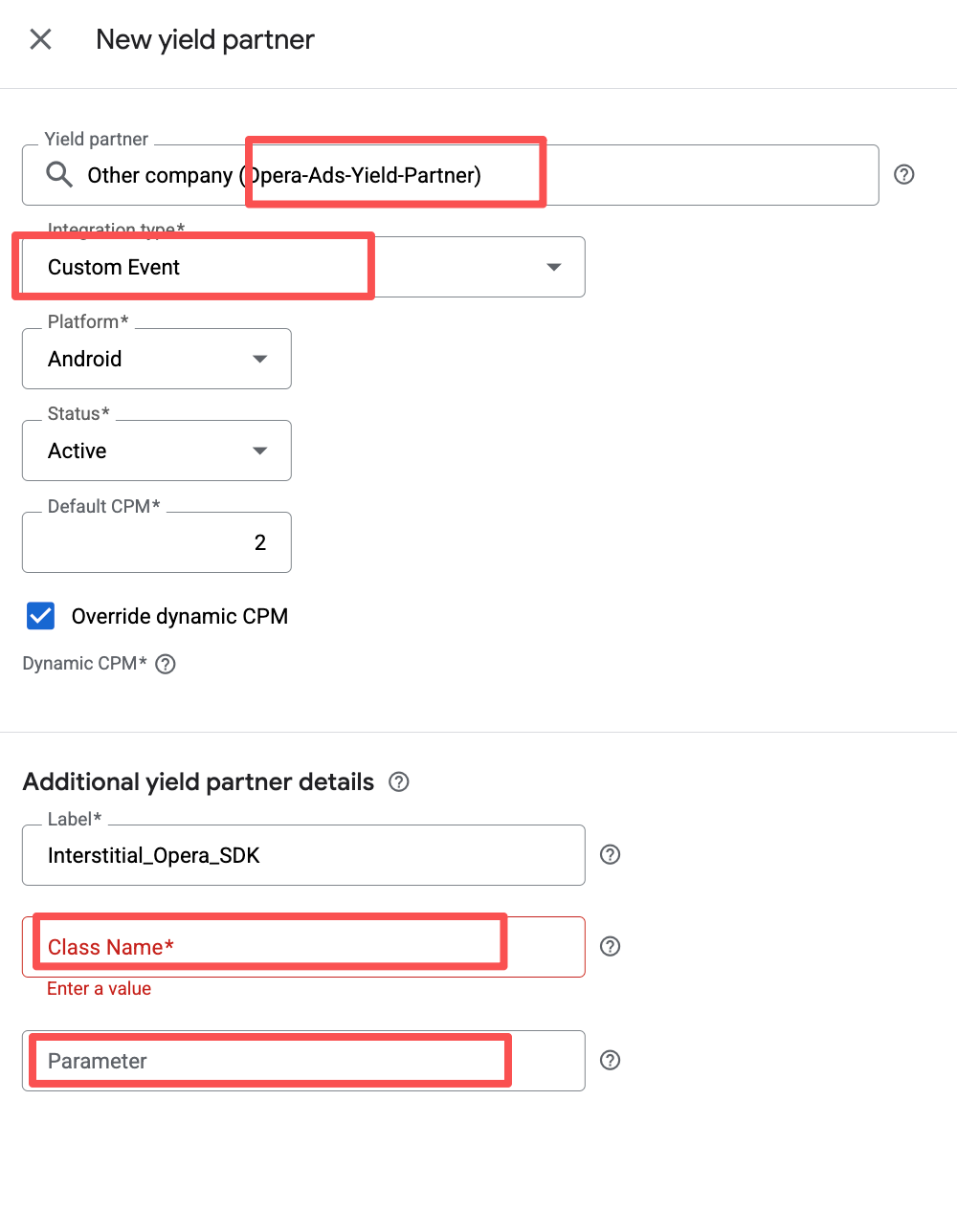
Class name: com.opera.ads.mediation.admob.OperaMediationAdapter
Parameter:
json
{ "appId": "<YOUR_OPERA_APP_ID>", "placementId": "<YOUR_OPERA_PLACEMENT_ID>" }After you input necessary information, and save, you’ll find one YG here below, for $2.00 waterfall, repeatedly create other price waterfall by this way. 
You may get the appId and placementId when you have an account for publisher portal: https://ofp.adx.opera.com, and create your application and placements.
Please contact your account manager to get portal login information.
Add Dependencies
Add Opera Ads SDK Maven repository:
kotlin
repositories {
    maven { url = uri("https://artifact.op-mobile.opera.com/releases") }
}

// Add the following dependencies to your app's `build.gradle` or `build.gradle.kts` file:
dependencies {
    // Use Opera Ads AdMob Adapter
    implementation("com.opera:opera-ads-admob-adapter:+")

    // Google Mobile Ads SDK
    implementation("com.google.android.gms:play-services-ads:24.8.0")
}
Additional Code Required
The Google Mobile Ads SDK automatically initializes the Opera Ads SDK when loading ads. No additional initialization code is required.
Privacy Compliance
GDPR
Please refer to GDPR. The Opera Ads SDK reads the application's consent string automatically.
COPPA
The Opera Ads SDK reads the TFUA tag from GAM RequestConfiguration and passes it to the ad network every time it requests an ad.
CCPA (U.S. states privacy)
Please refer to U.S. states privacy setup. If you want to specify US state privacy in your integration, please invoke PrivacyManager.setUSPrivacy("....") to set the CCPA status manually.