
Appearance
AdMob Mediation Integration by Custom Event
Supported Ad Formats
| AdMob Ad Format | Minimum required version of Opera adapter |
|---|---|
| Native | 2.0.0.0 |
| AdSize.BANNER | 2.0.0.0 |
| AdSize.MEDIUM_RECTANGLE | 2.0.0.0 |
| AdSize.LARGE_BANNER | 2.2.2.0 |
| AdSize.FULL_BANNER | 2.2.2.0 |
| AdSize.LEADERBOARD | 2.2.2.0 |
| Interstitial | 2.0.0.0 |
| Rewarded | 2.0.0.0 |
| Rewarded interstitial | 2.14.0.0 |
| AppOpen | 2.5.0.0 |
Configure Custom Event in the AdMob Console
You need to add Opera to the mediation configuration for your ad unit.
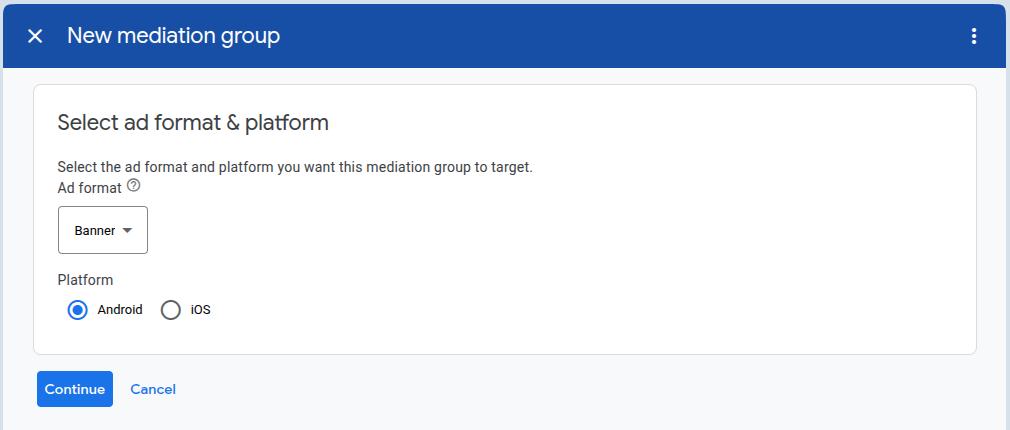
First, sign in to your AdMob account. Next, navigate to the Mediation tab. If you have an existing mediation group you'd like to modify, click the name of that mediation group to edit it, and skip ahead to Add Opera Ads as a Custom Event. To create a new mediation group, select Create Mediation Group. 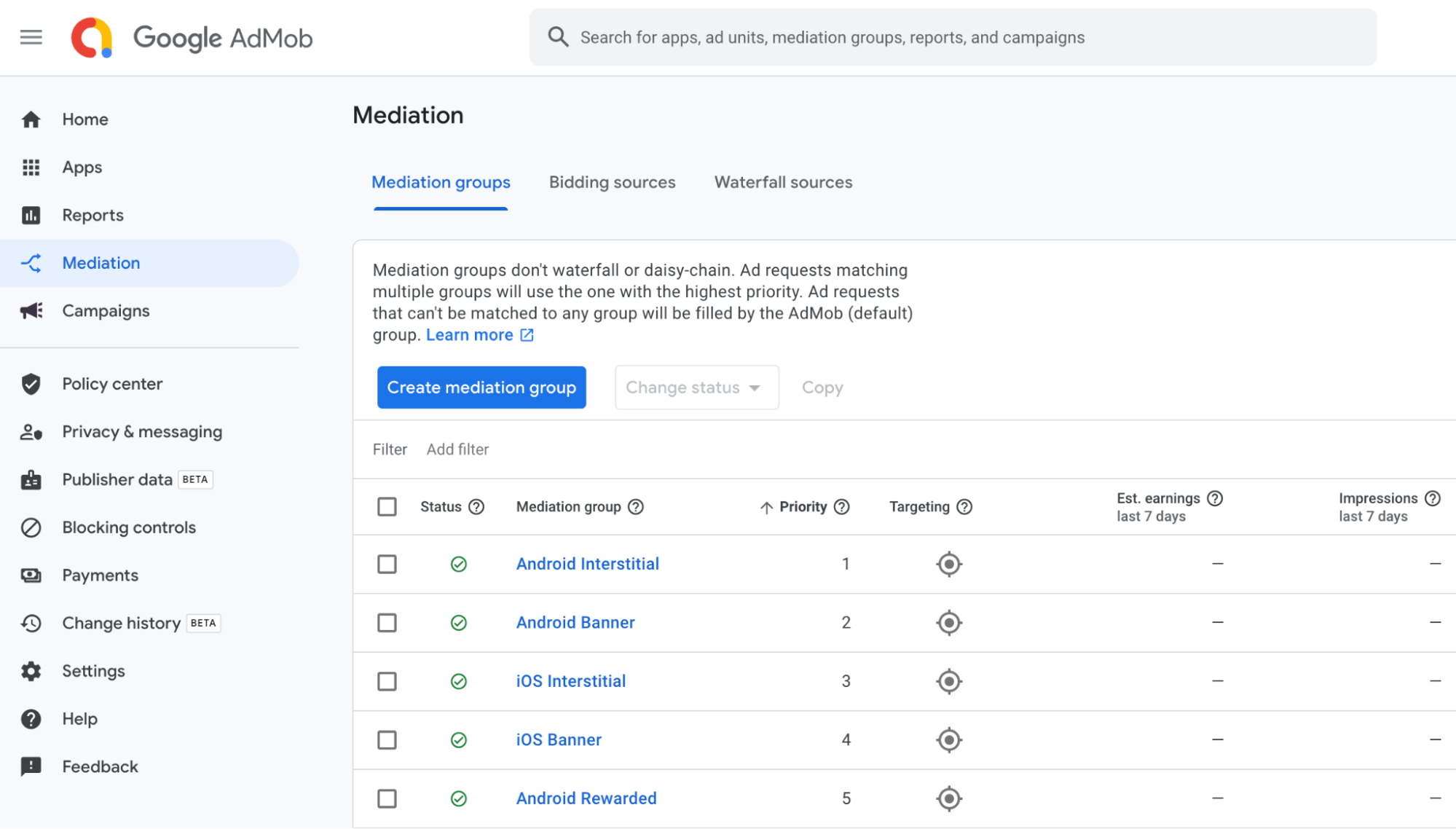 Enter your ad format and platform, then click Continue.
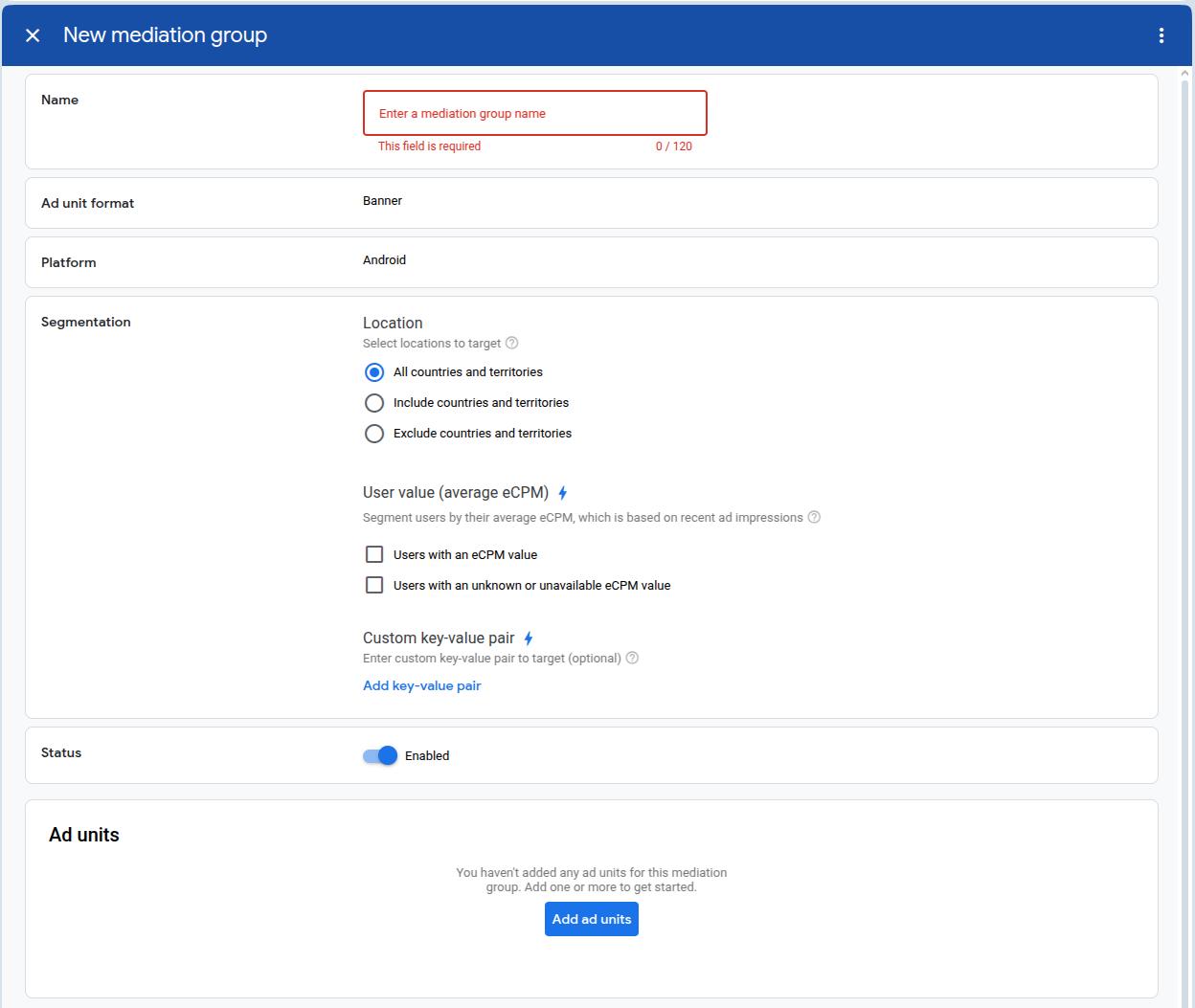
  Give your mediation group a name, and select locations to target. Next, set the mediation group status to Enabled, and then click Add Ad Units.
  Associate this mediation group with one or more of your existing AdMob ad units. Then click Done.
 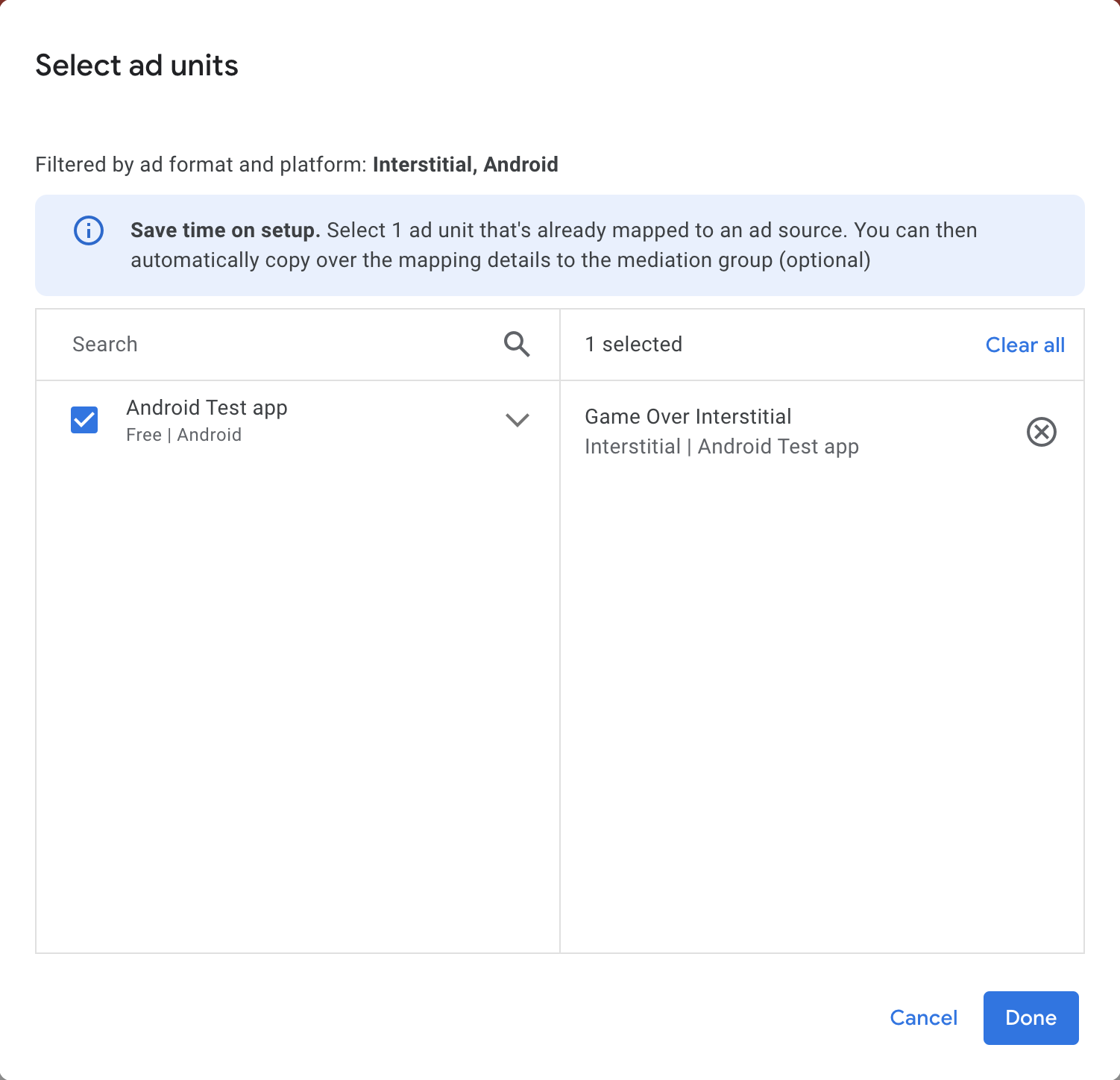 You should now see the ad units card populated with the ad units you selected:
Add Opera Ads as a Custom Event Under the Waterfall card in the Ad Sources section, select Add custom event. Fill in the "Label" and "eCPM", and press Continue. 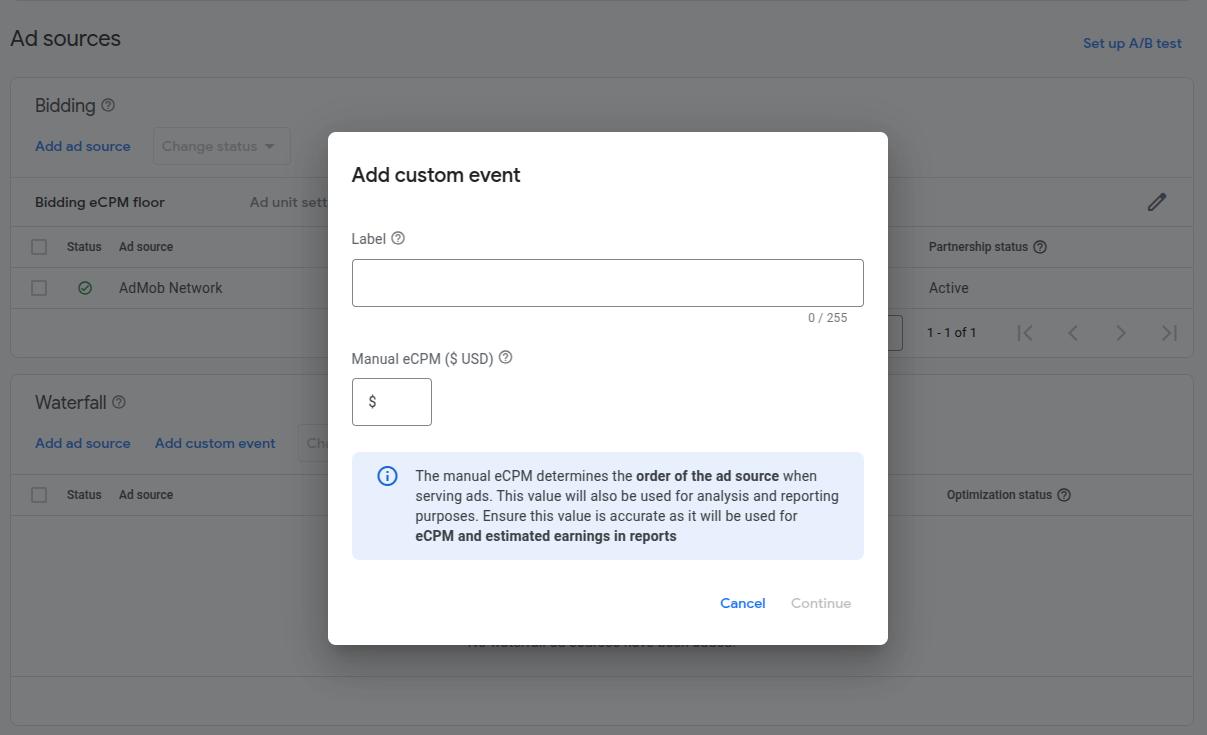 In the Map ad units pop-up window, choose one AdMob ad unit to map to the custom event you just created, and click Add mapping. Click Add mapping again to get into the Edit ad unit mapping dialog.
  Name this mapping, and fill in the Class Name with "com.opera.ads.mediation.admob.OperaMediationAdapter". The parameters are as follows:
json
{ "appId": "YOUR_OPERA_APP_ID", "placementId": "YOUR_OPERA_PLACEMENT_ID" }The appId from Opera Ads is in the format pub<digits>/ep<digits>/app<digits>, e.g. "pub1234567890/ep1234567890/app1234567890".
Add Dependencies
Add Opera Ads SDK Maven repository:
kotlin
repositories {
    maven { url = uri("https://artifact.op-mobile.opera.com/releases") }
}

// Add the following dependencies to your app's `build.gradle` or `build.gradle.kts` file:
dependencies {
    // Opera Ads AdMob Adapter
    implementation("com.opera:opera-ads-admob-adapter:+")

    // Google Mobile Ads SDK
    implementation("com.google.android.gms:play-services-ads:24.8.0")
}
Additional Code Required
The AdMob SDK automatically initializes the Opera Ads SDK when loading ads. No additional initialization code is required.
Privacy Compliance
GDPR
Please refer to GDPR. The Opera Ads SDK reads the application's consent string automatically.
COPPA
The Opera Ads SDK reads the TFUA tag from AdMob RequestConfiguration and passes it to the ad network every time it requests an ad.
CCPA (U.S. states privacy)
Please refer to U.S. states privacy setup. If you want to specify US state privacy in your integration, please invoke PrivacyManager.setUSPrivacy("....") to set the CCPA status manually.