
Appearance
Account Users
How to Use the Account Users Feature
The Account Users feature allows you to grant users access to your Advertiser Account and assign specific roles, which determines their level of access to various account features. Please note that only users with the "Administrator" role have the authority to add new users and manage their assigned roles.
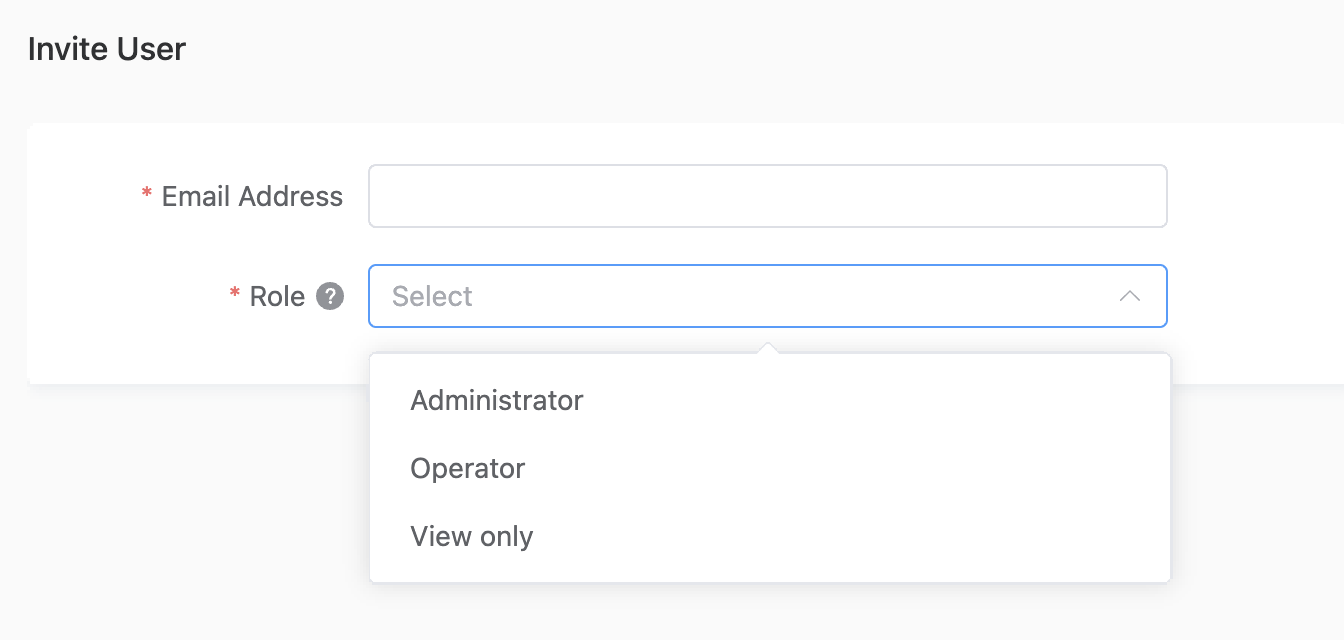
How to add an account user
- Log in to your account as an Administrator and select the relevant Advertiser Account.
- Click on “Account User”.
- Click “Invite User”, enter the new user's email address, and select their role.
- Click “Save”.
Understanding User Roles
- Administrator: This user has full access to all features within the Opera Ads account. They can manage all aspects of the account, including adding and managing other account users.
- Operator: This user has full access to all features within the Opera Ads account, with the exception of Account Users management.
- View Only: This user can view all features within the Opera Ads account, except for Account Users management. A user with this role can neither view nor modify other users and their assigned roles.
The Invitation and Onboarding Process
Once the new user's information has been successfully saved, an email invitation will automatically be sent to the address entered.
The invitation will prompt the user to accept the invite and agree to the terms of service and privacy policy.
The email invitation will be like this demo: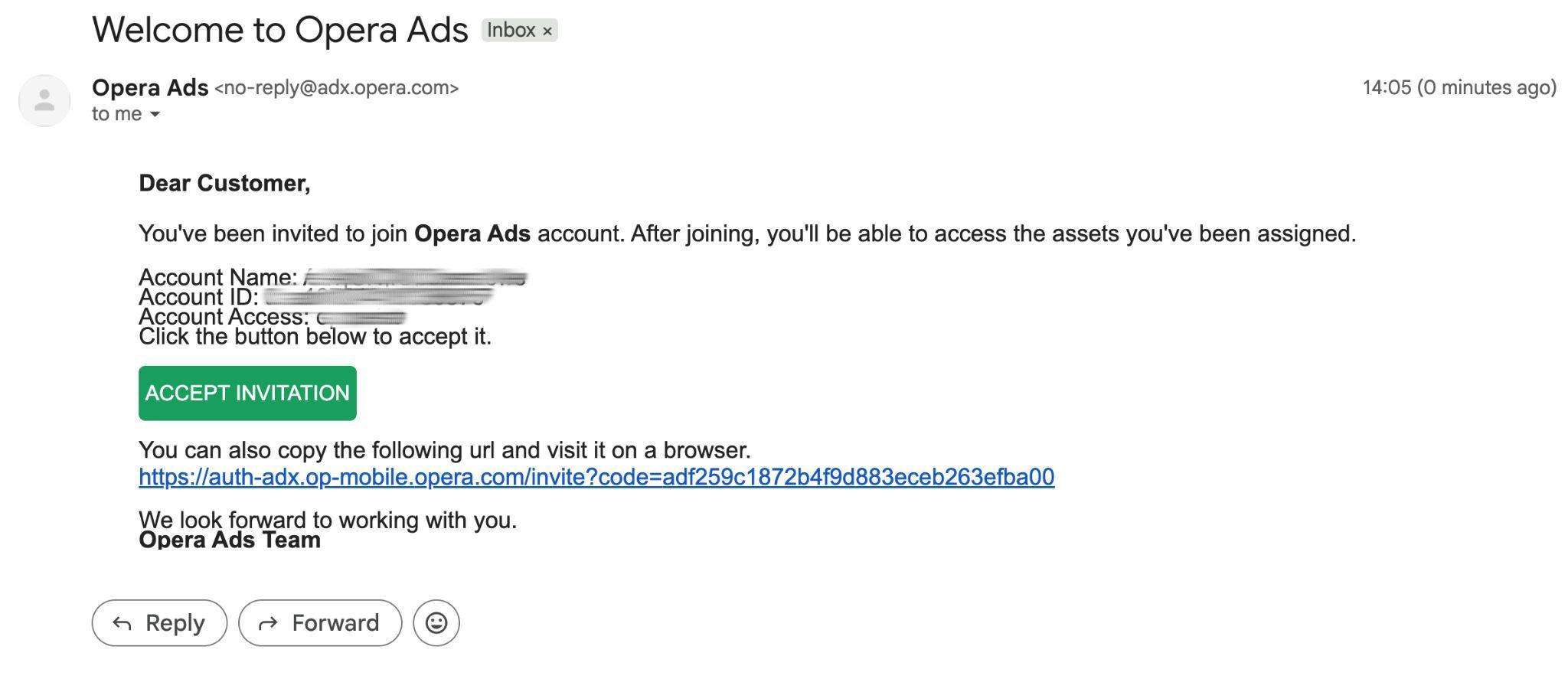
After clicking “Accept Invitation” in the email, the user will be redirected to a sign-up page to complete their registration.
The sign-up page will be like this demo: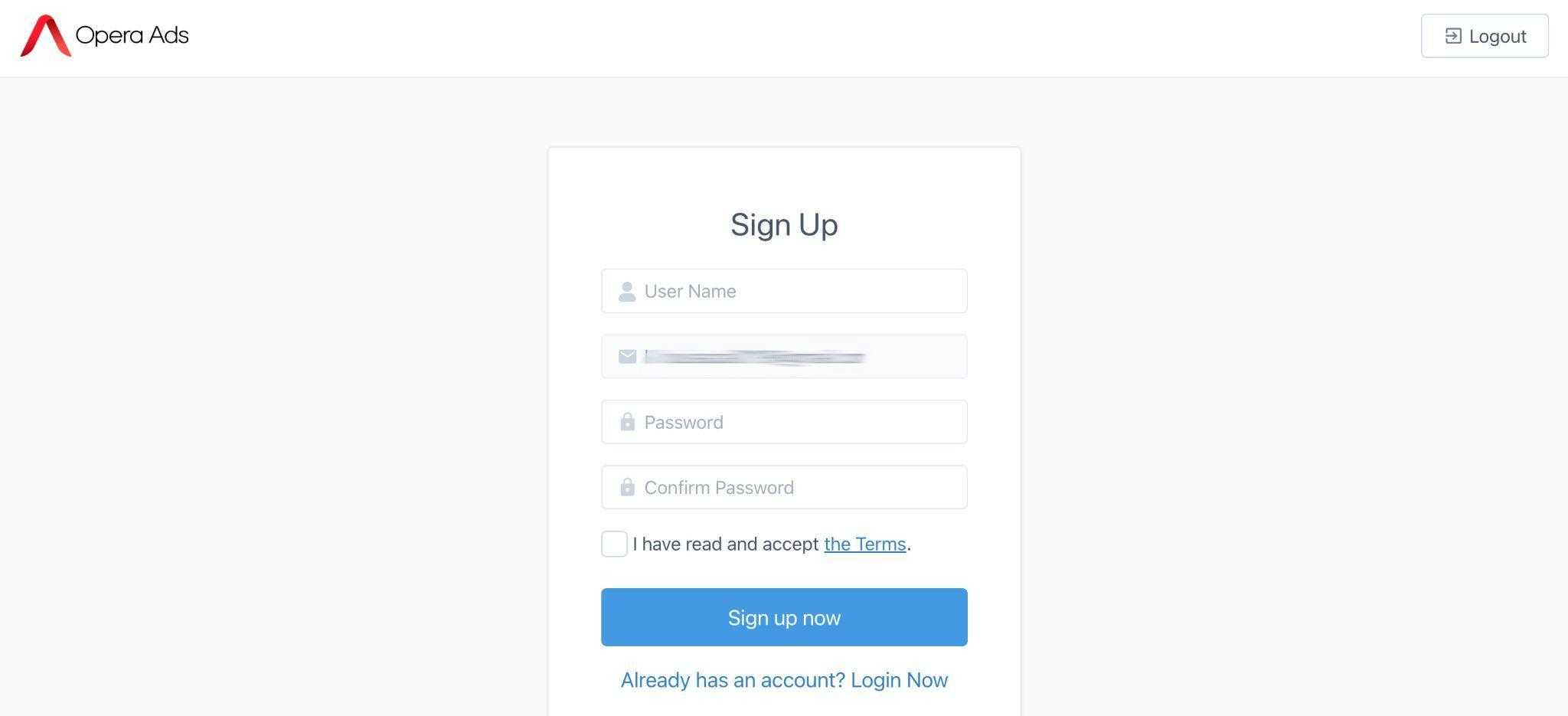
New user accounts will remain in a "pending" status until the user finishes the onboarding process.
- To fully activate the account, the user must first accept the email invitation.
- Next, the user needs to enter the requested credentials on the sign-up page.
- Finally, the user must agree to the terms of service and privacy policy.